
Speak the job. Review the estimate. Share the PDF.
Speak or type the job details, then add a photo if helpful. EstimateBook drafts itemized line items you can review, edit, and share as a professional PDF quote, right from your phone.
Available now on iPhone and Android. Try one estimate without an account. Review every price and tax before sharing.
Trade
Describe the job
Capture-screen illustration. Generated prices and tax need your review.
How it works
From job description to a PDF you can share
Capture the scope while you are on site, check the draft against your costs, and prepare the document for your customer.
-
Describe the job
Speak into your phone or type the job details. Add a photo of the work area when it helps explain the job.
-
Review and edit
EstimateBook drafts itemized materials and labour. Adjust quantities, prices, and markup until the numbers match your real costs.
-
Share the PDF
Send a professional PDF with your company name and an itemized tax breakdown through Messages, Mail, or WhatsApp.
The app
See EstimateBook in action
Screens from the app: capture the job, review the draft, and revisit saved estimates.
-
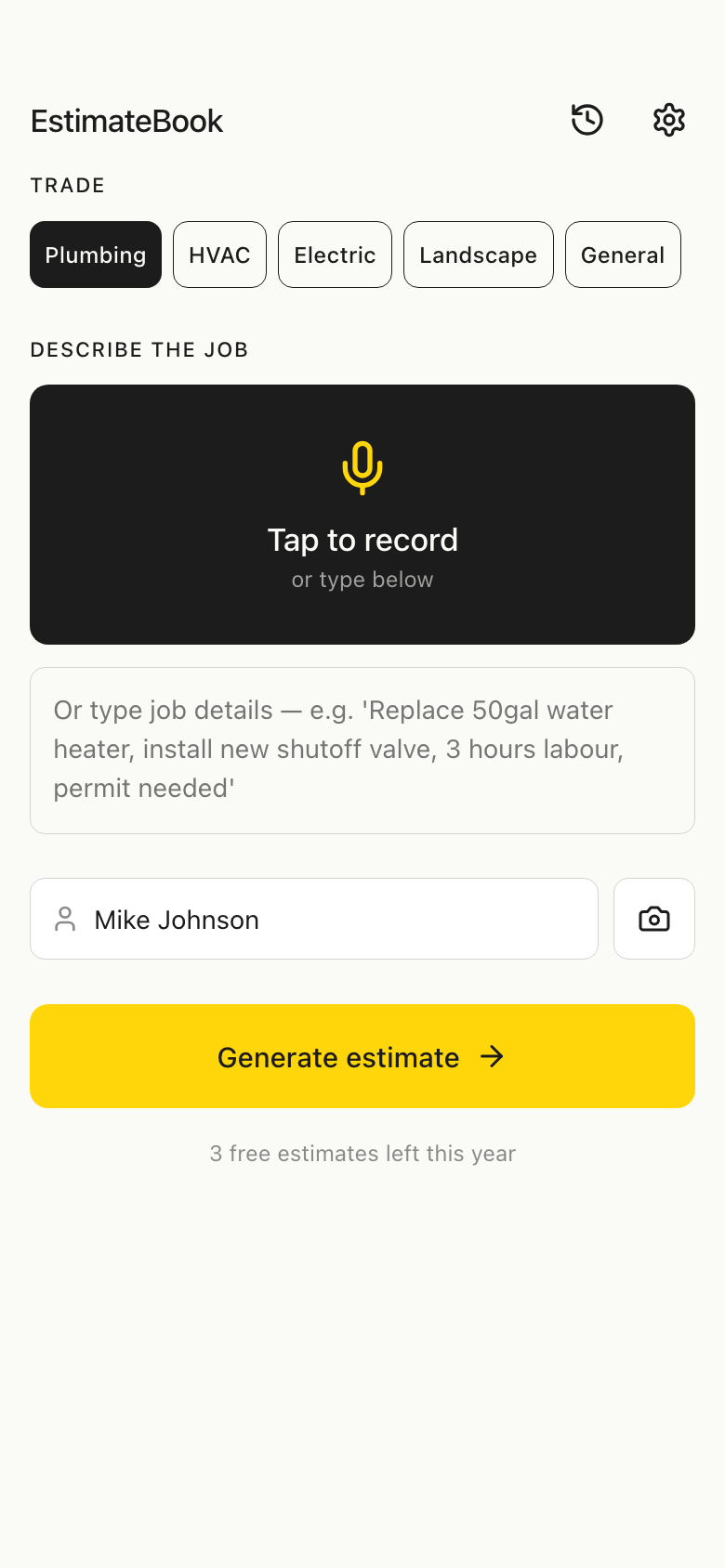
Speak or type the job details -
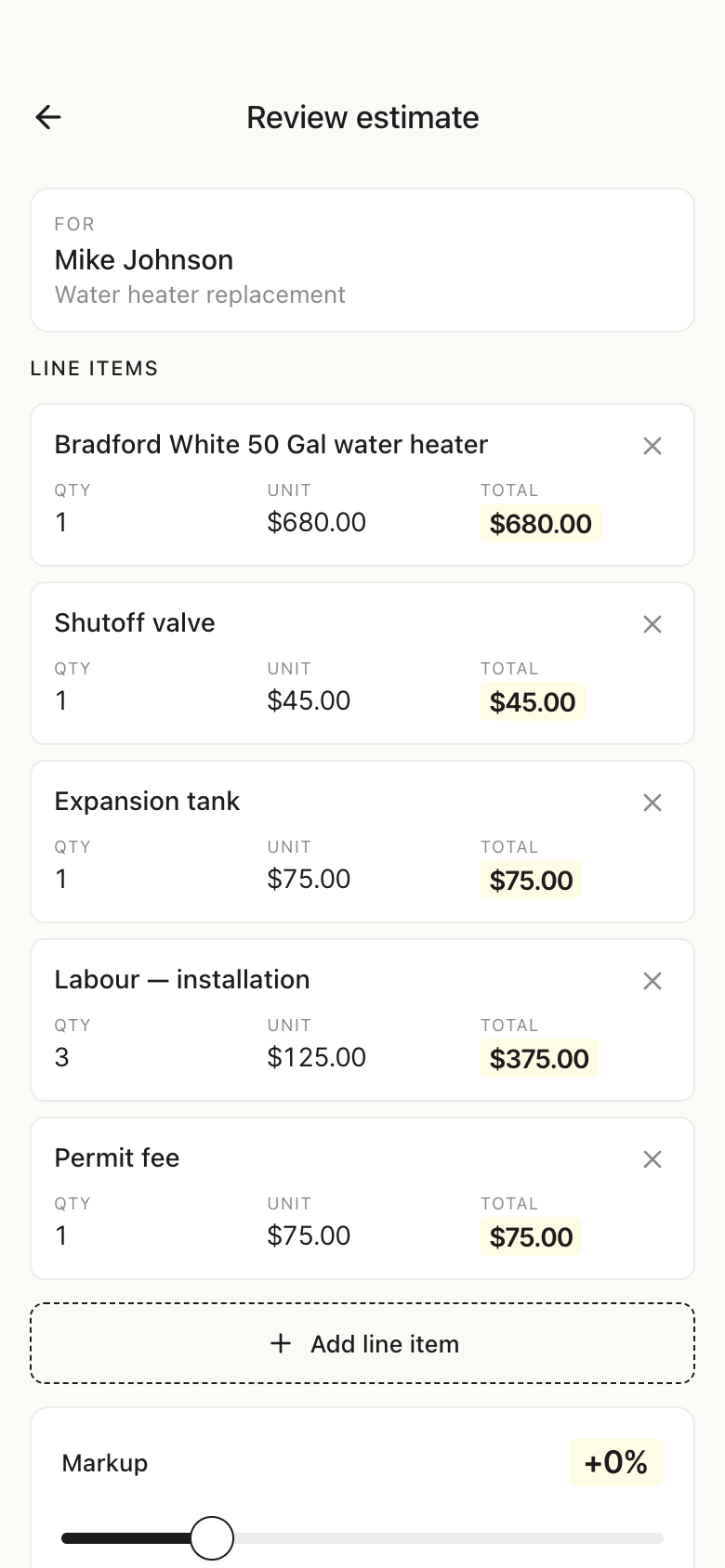
Edit every line and set your markup -
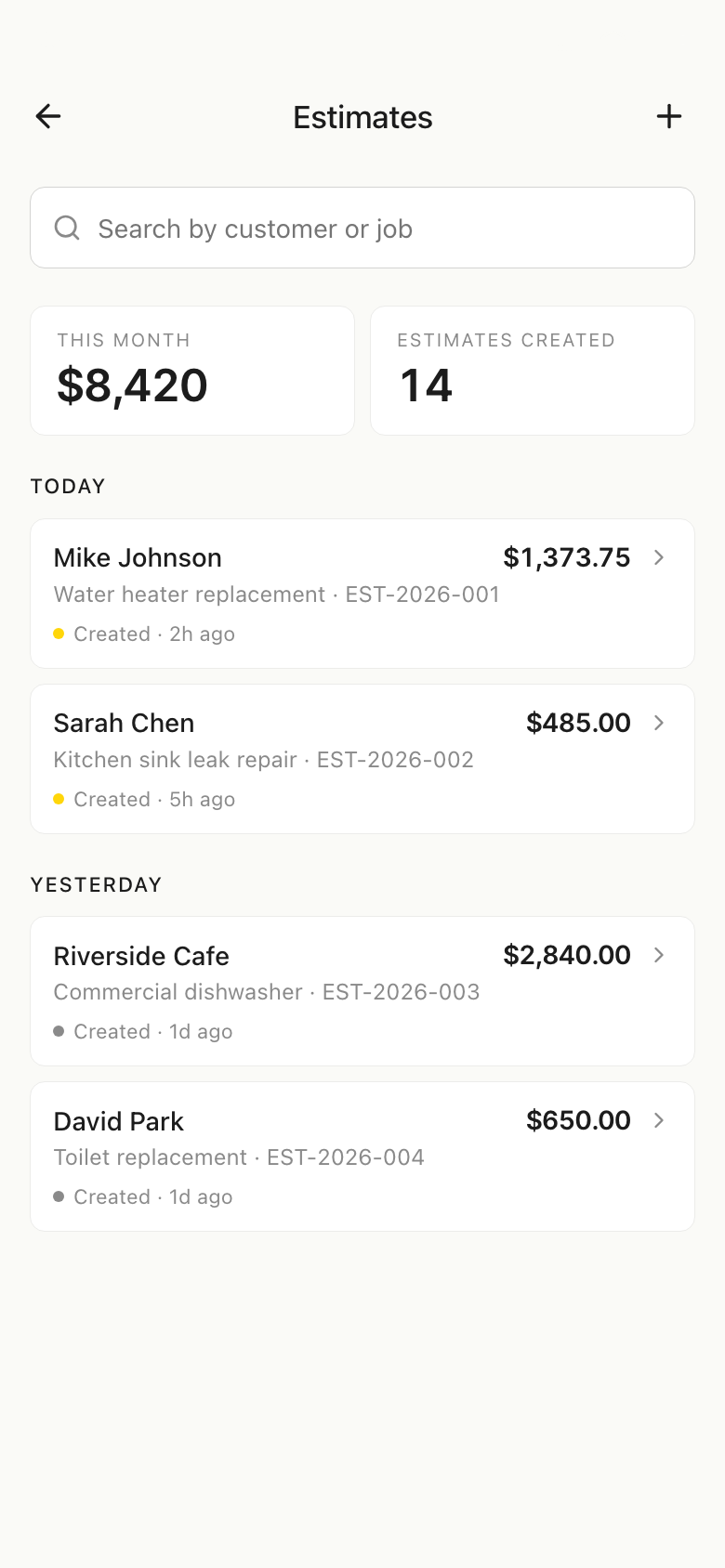
Search and revisit past estimates
Features
Everything an estimate needs, nothing it does not
No bloated job-management suite. EstimateBook does one thing well: turning your job description into an editable estimate.
-
Voice, text, or photo input
Talk through the job on site, type the details, or let a photo of the problem help draft the line items.
-
Itemized AI drafts
Materials, labour, and quantities drafted from your description, using your trade, region, and hourly rate as draft context. Check the result against supplier prices and your own costs.
-
Full editing control
Change any quantity or price, add or delete lines, and apply a global markup from -10% to +30%. The AI draft is a starting point, not the final word.
-
Review the job’s tax
A region preset is a starting point. Tax depends on the job, registration and local rules. Confirm the treatment and amounts before you share.
-
Professional PDFs
Branded estimates with your company name and a full tax breakdown, shared through the apps you already use. Pro adds your logo.
-
History and export
Find past estimates with search and monthly stats, and export a JSON copy of your records. Keep a separate copy; account sign-in does not sync estimates.
Who it is for
Made for the trades
If you quote jobs for a living, EstimateBook was built for you.
- Plumbers
- Electricians
- HVAC technicians
- Landscapers
- General contractors
- Handypeople
- Painters
- Roofers
- Service professionals
Solo operators and small crews who would rather spend the evening on the next job than behind a spreadsheet.
Privacy
Saved estimates live on your phone
EstimateBook is built so your business data belongs to you.
On-device storage
Saved estimates and business details live in the app’s local storage. Generating a draft sends your job description and any attached photo to processing services; voice input sends audio for transcription.
Diagnostics and usage counts
The app uses crash reporting and limited usage counters to help us find failures. This website has no advertising or analytics scripts. Read the policy for processing details.
Minimal account data
Try one estimate as a guest. Sign in with Apple, Google, or email for account access and subscriptions. Guest access still uses an app identifier and processing services.
Delete anytime
Delete your account from Settings in the app, and clear local data whenever you choose. Payments are handled by Apple or Google; card details never reach EstimateBook.
Read the full Privacy Policy for the details, including generation uploads, account data, subscriptions and diagnostics.
FAQ
Common questions
What is EstimateBook?
EstimateBook is an estimate maker for contractors on iPhone and Android. Speak or type the job details and add a photo if helpful. Review and edit the draft’s descriptions, quantities and prices, then share an itemized PDF quote with your customer.
Do I have to use the AI draft as-is?
No. Every line item is editable: quantities, unit prices, descriptions, and notes. You can add or delete lines and apply a global markup. Nothing becomes a final estimate until you say so.
Which tax regions are supported?
EstimateBook offers Canadian and US region presets. A preset cannot decide every job’s tax treatment. For example, ordinary BC supply-and-install work on real property differs from selling goods without installation. Check the applicable rules and registration before sharing.
Is EstimateBook free?
Try one estimate without an account. The signed-in free tier allows three estimates per calendar year. Pro adds unlimited estimates, watermark removal and your logo. The store purchase screen shows the current local price and renewal terms before you subscribe.
Where is my data stored?
Saved estimates and business details are stored locally. Job descriptions, attached photos and voice recordings leave the device when you use generation or transcription. Account, subscription, usage and diagnostic data are processed separately. See the Privacy Policy for the full picture.
How do I get help or delete my account?
Email [email protected] anytime, or visit the Support page. Account deletion steps are in the app's Settings and on the account deletion page.
Try it with your next job description
Describe a job you know well. Check the draft against your actual materials, labour and taxes before sharing it.
Available now on iPhone and Android. Get help choosing your first job to try.